imTE Position & Risk Manager
A trade panel for MetaTrader. Plan an order with lines on the chart, see the size and the risk before anything is sent, and let the panel look after the order once it is placed.
Free to use. Try it on a demo account first. The tool sends an order only when you press Place Order.

See every feature on the real screen.
Installation, the settings, and five live tests: three targets, breakeven, both kinds of invalidation and expiry.
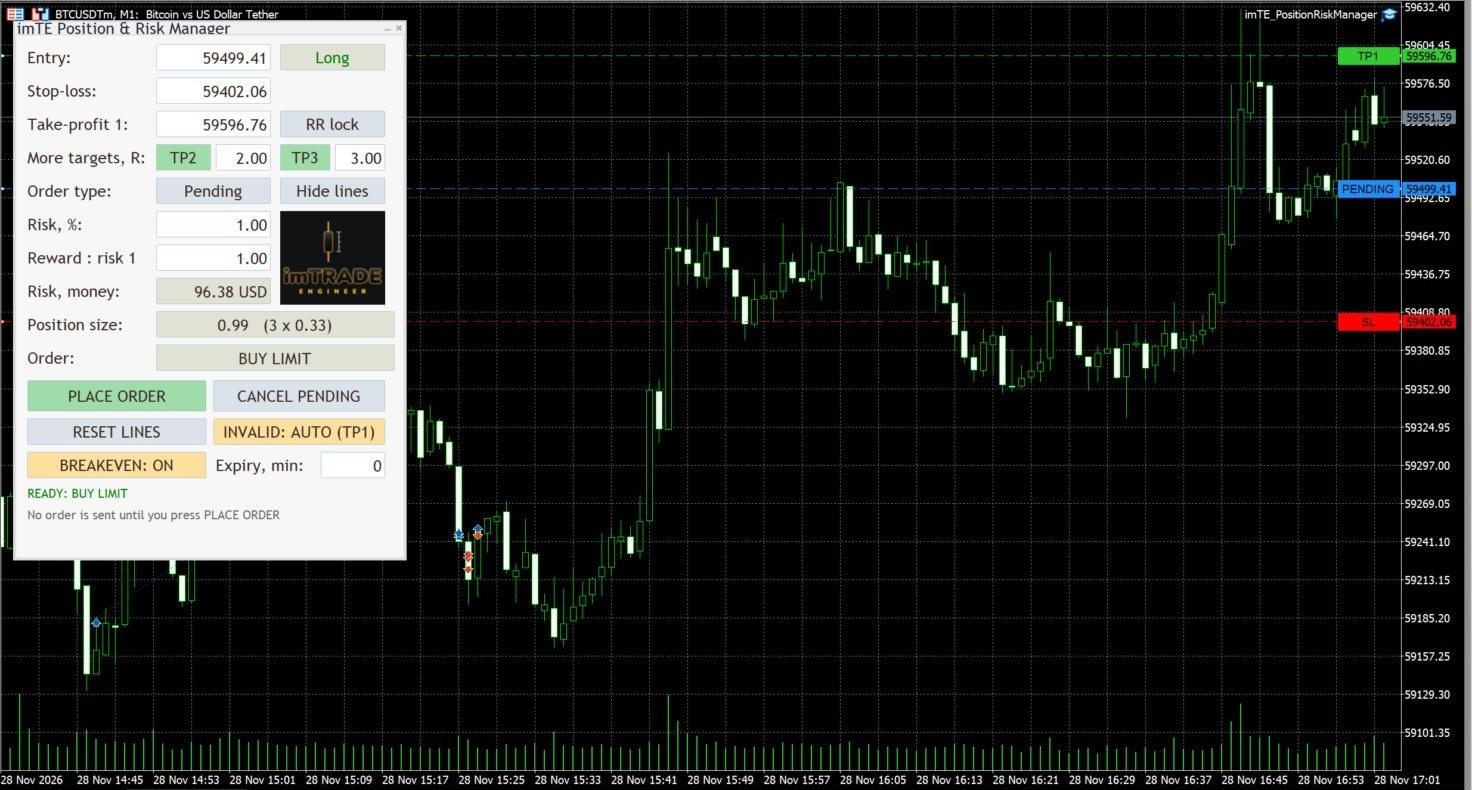
The arithmetic and the watching, done for you.
Position size from risk
Type the risk in percent of the account. The lot size is worked out from the distance between entry and stop.
One, two or three targets
TP1 is set by reward to risk. TP2 and TP3 are added with a click, and the total size is split equally between them.
The right order type
Limit, stop or instant is chosen from the position of the entry line, for long and for short.
Breakeven
When the first target is done, the stop of the remaining parts moves to the entry price.
Expiry
Give a number of minutes. A pending order that has not filled by then is cancelled.
Checks before sending
An order outside your limits is rejected, and the panel says why: too much risk, wide spread, or a level already passed.
When a pending order is no longer worth keeping.
One button moves between three modes. Only one is active at a time.
Four steps to the first plan.
- 1 Download the fileThe .ex5 file for MetaTrader 5, or the .ex4 file for MetaTrader 4.
- 2 Copy it into ExpertsIn MetaTrader: File, Open Data Folder, then MQL5 (or MQL4), then Experts. Paste the file there.
- 3 Attach it to a chartRefresh the Navigator, then drag imTE_PositionRiskManager onto the chart and allow Algo Trading in its settings.
- 4 Switch on Algo TradingPress the Algo Trading button in the top toolbar (AutoTrading in MT4). The panel is ready.
- The terminal must stay open: breakeven, invalidation and expiry are run by the panel.
- Each target is a separate order of equal size.
- The risk you type is the total for the trade, across all targets.
- Closing the panel asks first, then removes its lines.
This is a utility, not a strategy and not advice. It does not decide what to trade. Trading carries risk and you can lose money.