Plan the trade.
Measure the risk.
Then press the button.
imTRADE Engineer builds free MetaTrader tools and step-by-step lessons for traders who want every order sized, stopped and targeted before it is sent.
Tools
Free utilities for MetaTrader 4 and 5, starting with the Position & Risk Manager.
Open the tool →Learn
A structured course, written from the basics upward and added one module at a time.
See the course →Charts
Trade plans drawn on the chart, with the entry, the stop and the targets marked.
Where they will be →Results
Shown only from an account that a third party can check. Nothing before that.
Read the rule →imTE Position & Risk Manager
Drag three lines on the chart. The panel works out the lot size from your risk, splits it across up to three targets and sends the orders when you say so.
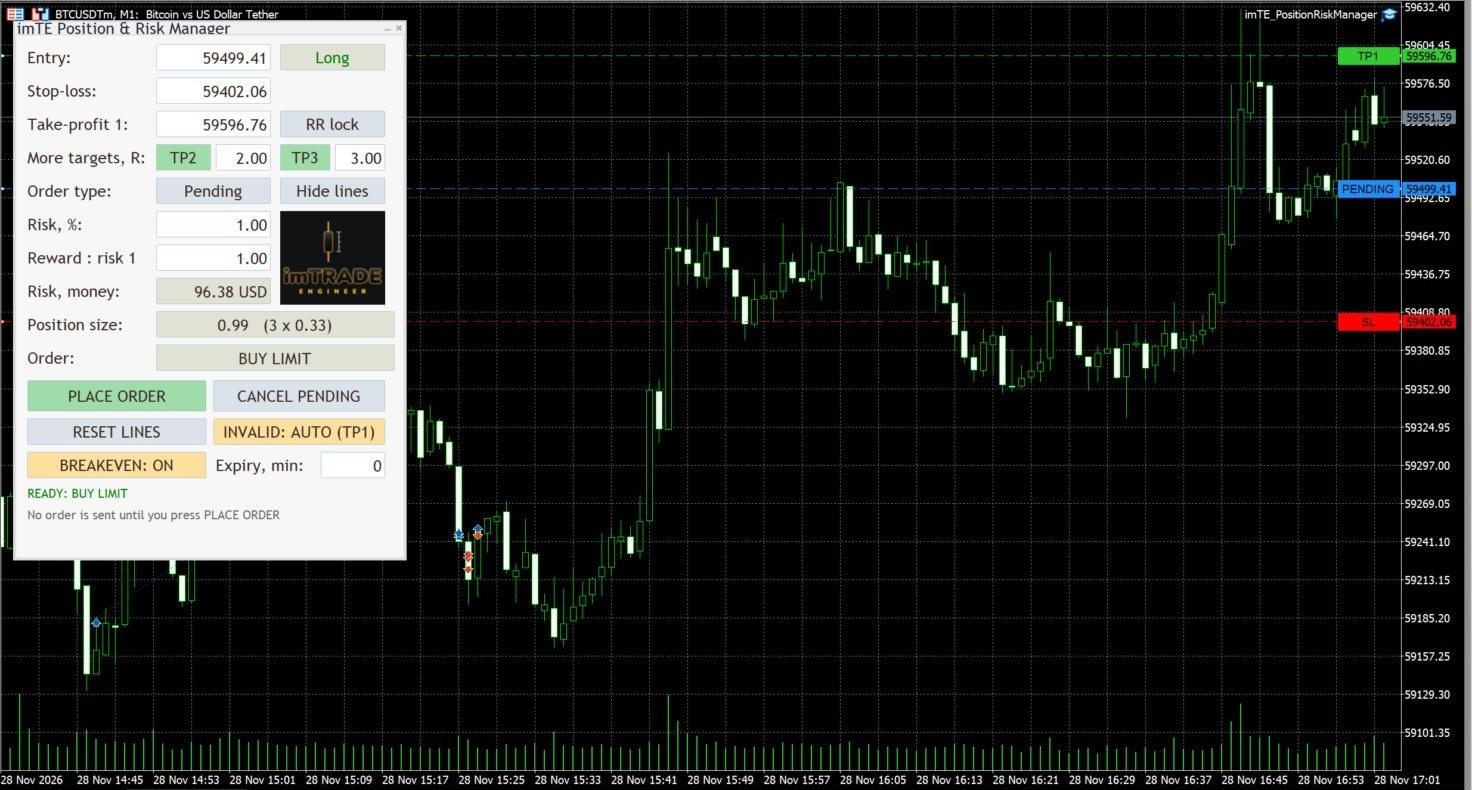
Three steps, in the same order every time.
Plan on the chart
Place the entry, the stop and the first target as lines. Nothing is sent while you plan.
Read the numbers
The panel shows the size, the money at risk and the reward to risk. An order that breaks your limits is rejected with the reason.
Send, then let it manage
One button places the orders. Breakeven, invalidation and expiry do the watching.
A course that starts at the beginning.
The course is being written now. Each module is published when it is complete, with notes and a video on the real screen.
Charts
Trade plans will be published on TradingView and collected here, each with its entry, stop and targets, and with what happened afterwards.
Results
No results are shown yet. They will appear here only from an account that a third party can verify, losing trades included.
Premium
Signals and copy trading are planned for later, after the results above have been public for some time.